MetaTrader 5
MT5 auto trading with your own broker account
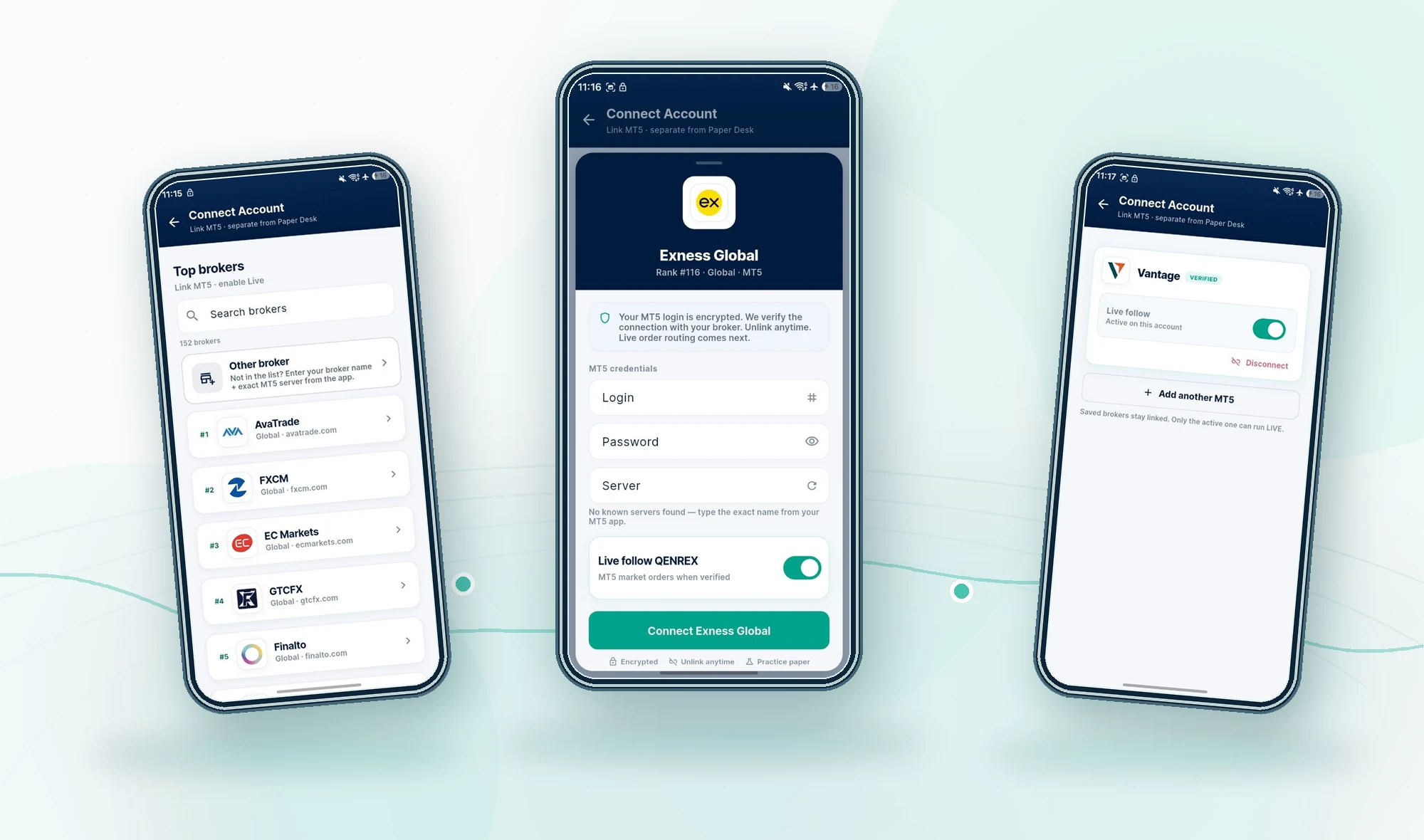
Connect a supported MT5 login to QENREX. Your capital stays on the broker — the desk can place and manage orders from published gold setups when live is on.
- Secure MT5 connect via MetaApi-style provisioning
- Pro: up to 2 live MT5 · Elite: up to 5
- Paper practice before you flip live on
 GET IT ONGoogle Play
 Coming soonApp Store
Funds stay on your broker · Educational only · Not financial advice
01
What MT5 auto trading means on QENREX
Automation here means following the desk book — not handing deposits to a third-party wallet. You keep the broker relationship; QENREX focuses on order workflow and risk settings you choose.
- Link login + server for a supported broker
- Verify the connection before enabling live
- Use the same risk % you set on the paper desk
02
Demo → live path
Most traders should confirm the workflow on paper first. When ready, upgrade to Pro or Elite, connect MT5, and enable live only after verification succeeds.
- Free demo to learn the desk
- Pro unlocks live MT5 connect
- You can unlink or switch desks later
03
Risk reminder
Automated order management does not remove market risk. Leverage, slippage, and news spikes can still produce losses. Trade only with capital you can afford to lose.
FAQ
Frequently asked questions
Which brokers work with QENREX MT5?
Leading MT5 partners listed in the Connect screen — including names such as Vantage, Exness, and others searchable in-app.
Do I need Elite for MT5?
Live MT5 connect starts on Pro (up to 2 accounts). Elite raises the slot limit and adds priority support.
Can QENREX withdraw my money?
No. Funds stay on your broker. QENREX does not perform deposits, withdrawals, or transfers.
Is auto trading guaranteed to profit?
No. Past setups and paper results do not guarantee live results. Educational only.
Explore
Related guides
Next step
Practice on demo, then go live
Create a free account, follow gold setups on paper, connect MT5 when you are ready. Educational only.
- 01DemoPaper book · virtual funds
- 02AppGoogle Play · account ready
- 03LiveMT5 on your broker
Start free
Open the QENREX desk
Same gold levels on paper first — go live only when you choose.
Get started for freeGET IT ONGoogle PlayComing soonApp StoreFunds stay on your broker · Not financial advice