
XM
- Fast selection of assets
- Up to 1000:1 leverage
- Approved by top regulatory bodies
Link a supported MetaTrader 5 account on Pro or Elite. Practice first with Paper Trading virtual funds, then enable Signal AUTO Follow for supported XAUUSD setups — your capital stays on the broker.
QENREX is not a GRID/DCA builder and does not host My Robots or AI Presets. Risk controls and broker trading restrictions still apply. Educational only — not financial advice.
Connect in the app GET IT ONGoogle Play
 Coming soonApp Store
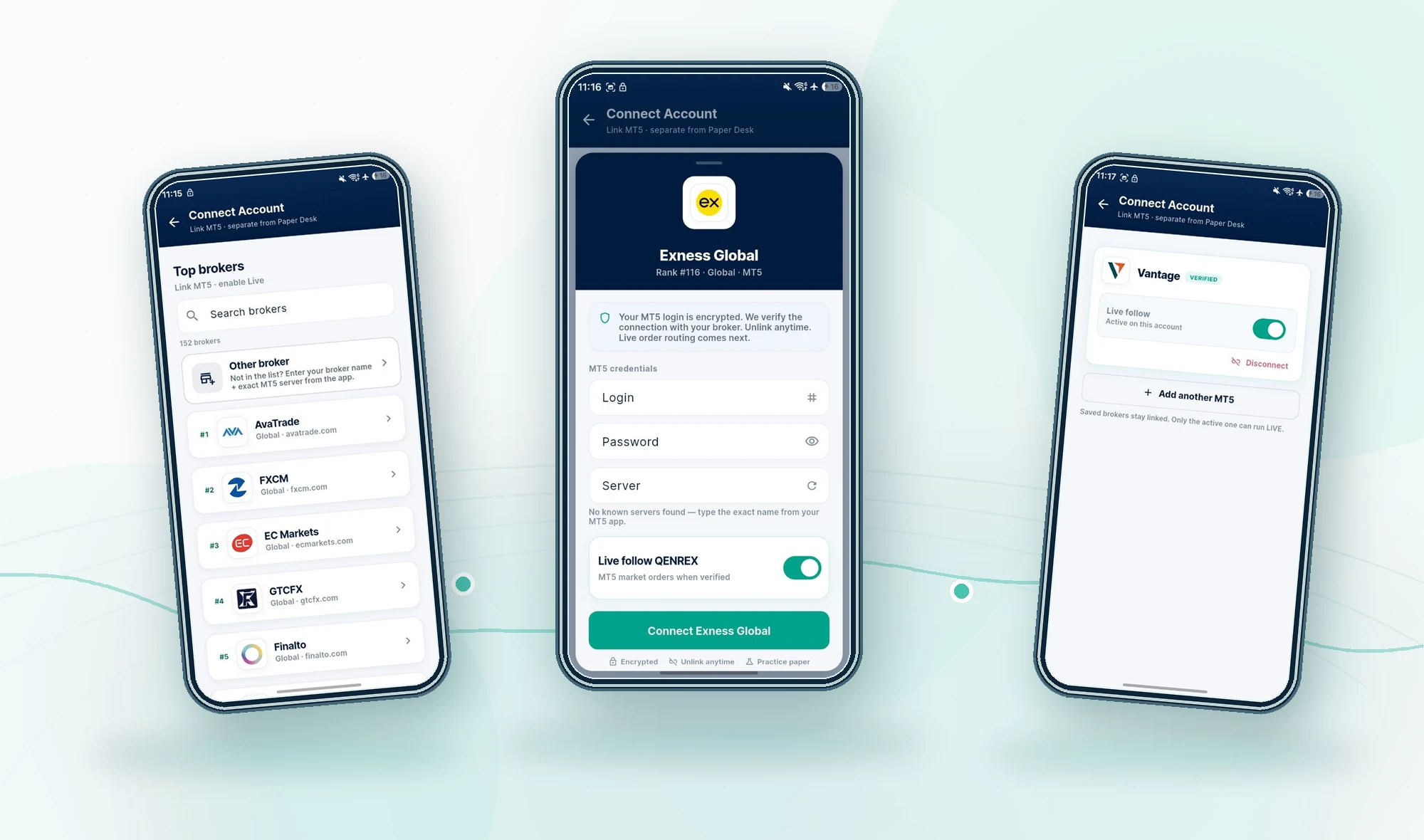
Search supported MT5 brokers in-app. Catalog names are illustrative — confirm availability in Connect.
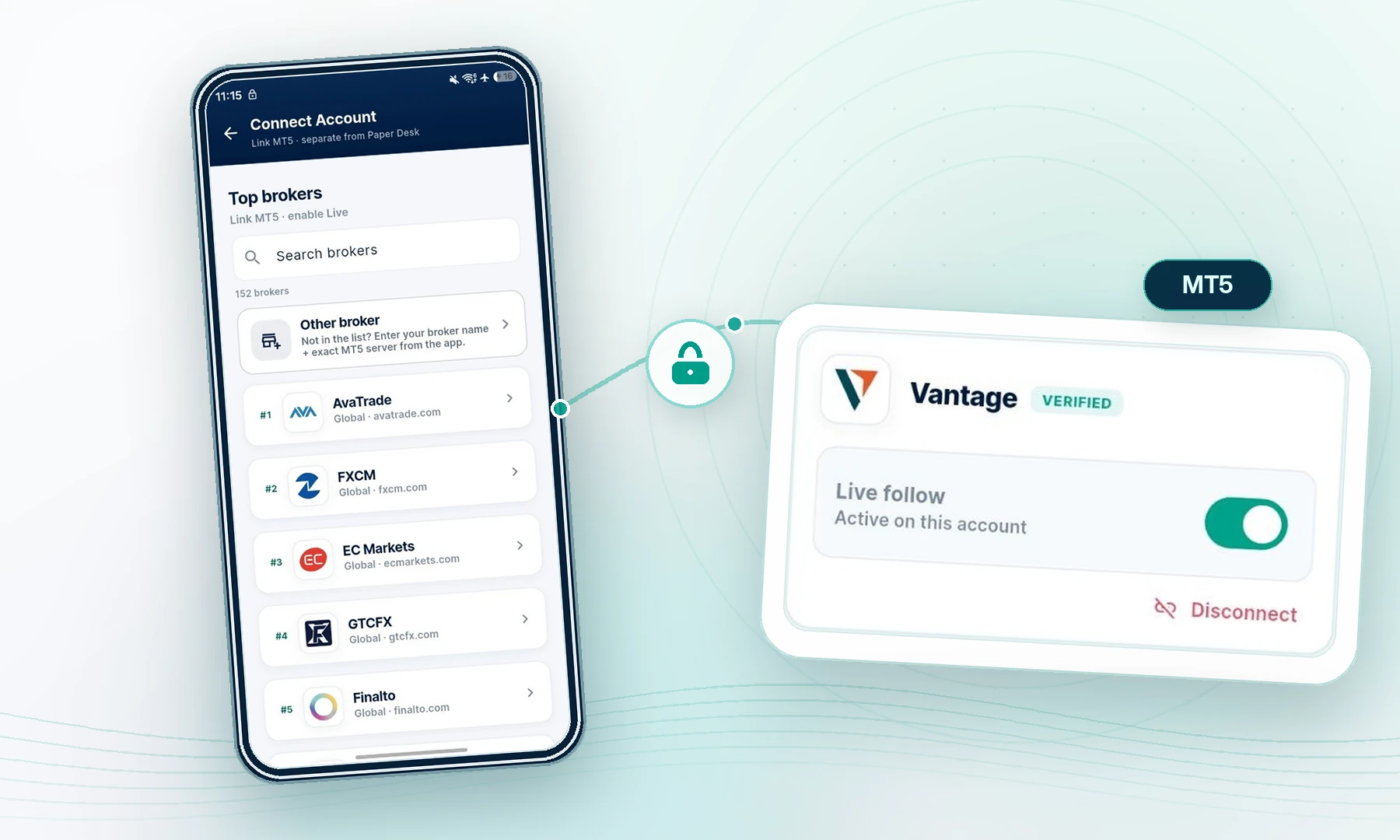
QENREX works with leading MT5 brokers so you can link an account you already trust.


More supported brokers appear in-app on Pro and Elite. Examples:
 FXCM
 IC Markets
 Pepperstone
 OANDA
 AvaTrade
Partners must meet strict requirements for reliability, transparency, and user experience — so Live MT5 connect stays stable when you follow supported signals.
A broker’s platform must be stable and suitable for Live MT5 connectivity. Orders should execute reliably — even in high volatility — when Signal AUTO Follow places supported setups.
Clear spreads, fees, and margin rules — no hidden surprises. You should always know what you pay when live orders route to your broker.
Support, education, and an intuitive interface matter. We prefer brokers that make it easy to open an account, manage positions, and get help when needed.
QENREX partners with brokers that have a proven track record and strong feedback from real traders. Stability and trust matter as much as features.
A few clear steps from broker choice to Signal AUTO Follow — no coding required.
Review partners on this page and search the in-app Connect catalog for the MT5 server you use.
You need an active MT5 login with your broker. Confirm the account is available in your region.
Live MT5 link requires Pro or Elite. Enter login, password, and exact server — QENREX never holds your deposits.
Choose per-trade risk, review paper practice if you prefer, then turn on Signal AUTO Follow for supported gold setups.
No. QENREX is a gold signal desk and trading tooling platform. You connect your own MT5 broker account — funds stay with that broker.
Yes. Live MT5 connectivity is included on Pro (up to 2 accounts) and Elite (up to 5). Starter includes paper and signals without Live MT5. Confirm entitlement in the app.
No. AUTO Follow books supported published signal levels onto paper and, when Live is on, your linked MT5 account. It is not a GRID/DCA bot builder, AI Presets library, or My Robots marketplace.
Yes. Pick any supported MT5 broker listed in Connect. Partner names on this page are illustrative — confirm availability in the app.
Yes. Spreads, leverage, and minimum deposits depend on the selected broker. Risk warning: trading involves significant risk of loss and may not be suitable for all investors. Past performance is not indicative of future results. Only trade with capital you can afford to lose.
On your broker account. QENREX does not perform deposits, withdrawals, or transfers. Paper Trading uses separate virtual funds and never moves broker capital.
If you represent a brokerage and would like to explore partnership opportunities, submit a request and our team will get back to you.
Contact usPractice on paper with virtual funds, upgrade to Pro or Elite for Live MT5, then enable Signal AUTO Follow when you choose. Funds stay on your broker account.
Open free account